Linux Benchmarking Made Easy with Tux Toaster
Benchmark smarter, not harder — with Tux Toaster.
What is Tux Toaster?
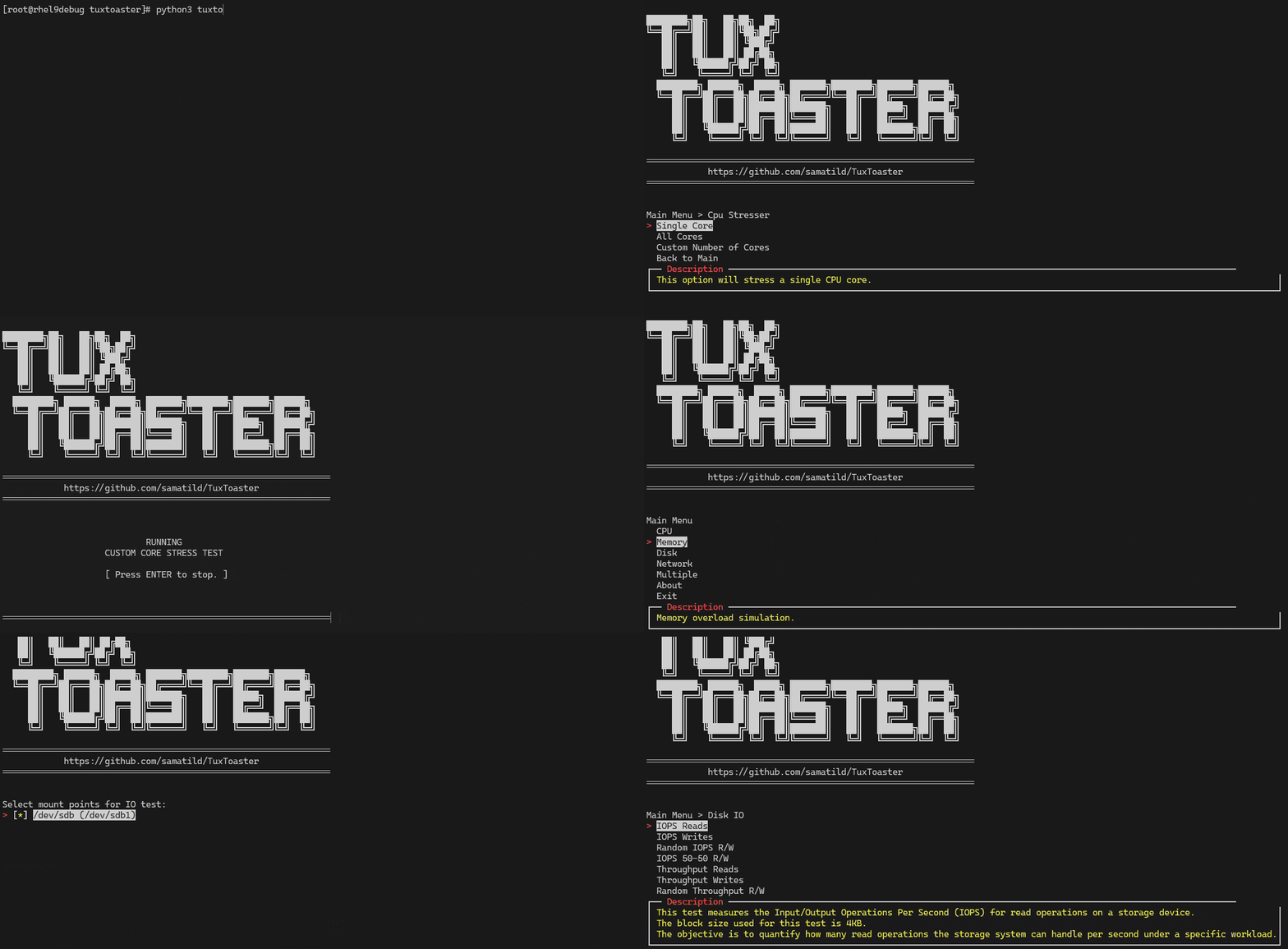
Tux Toaster is an all-in-one performance toolkit for Linux. It triggers various load tests (“toasters”) to help you evaluate the performance and stability of your system across CPU, memory, disk, and network. It offers an interactive terminal menu with multi-select support and clear, stoppable workloads.
When to use it
- Hardware bring-up and burn-in
- Post-maintenance validation (kernel/firmware/driver updates)
- Capacity planning and instance comparison
- Performance regressions investigations
- Reproducible stress scenarios for bug reports
Requirements
Tux Toaster targets Linux and relies on:
- Python 3.8+
- System utilities:
dd,lsblk,taskset,pkill - Internet connectivity for network tests
Optional/privileged:
- Root privileges for the “Unclean GC” runaway memory test to adjust
oom_score_adj
Installation
Install from PyPI (recommended):
pip install tuxtoaster
tuxtoaster
If your shell cannot find tuxtoaster, add the install directory to PATH:
# User installs (scripts in ~/.local/bin)
export PATH="$HOME/.local/bin:$PATH"
Alternative: install from source (editable):
git clone https://github.com/samatild/tuxtoaster.git
cd tuxtoaster
pip install -U pip setuptools wheel
pip install -e .
tuxtoaster
Menu controls:
- Use arrow keys to navigate, Enter to select.
- Many submenus support multi-select; hints appear in the UI.
- Press
q,x, orEscin a menu to go back. - During tests, press Enter to stop.
Quick start
From the main menu, pick a category and test(s) to run.
CPU
- Single Core
- All Cores
- Custom Number of Cores (uses
taskset; experimental)
Memory
- Single Runaway Thread
- Multiple Runaway Threads
- Memory spikes
- Unclean GC (requires root to set
oom_score_adj)
Disk
- IOPS Reads (4K, direct I/O)
- IOPS Writes (4K, direct I/O)
- Random IOPS R/W (4K, direct I/O)
- IOPS 50-50 R/W (4K, direct I/O)
- Throughput Reads (4MB, direct I/O)
- Throughput Writes (4MB, direct I/O)
- Random Throughput R/W (4MB, direct I/O)
- Throughput 50-50 R/W (4MB, direct I/O)
- Read while write cache is getting flushed
Network
- Network IN (Single) — downloads
https://proof.ovh.net/files/100Mb.dat - Network OUT (Single) — UDP to
8.8.8.8:53 - Network IN (Multiple) — N parallel downloads
- Network OUT (Multiple) — N parallel UDP senders
- Socket Exhaustion — exhaust process/kernel sockets or reserve listener port ranges
- Simulate Latencies — local TCP proxy that injects base latency and jitter (check project Git for instructions)
Multiple tests at once
Run CPU, Memory, Network, and Disk concurrently:
- From the main menu: Multiple → select items with SPACE → Enter to start.
- Press Enter to stop all running tests.
Behaviors:
- CPU: one busy process per core (like All Cores)
- Memory: threads allocate 500 MB chunks repeatedly (requires
psutil) - Network: continuous download of
https://proof.ovh.net/files/100Mb.dat - Disk: alternating
ddread/write with 4MB direct I/O under a temp file
Reading results
Tux Toaster prints live progress and a summary when you stop a test. Disk tests create temporary files under a dedicated directory on the selected mount points and clean up on exit. Network tests report bandwidth per socket in multi-socket modes.
Tips:
- Run tests at least 3 times and use medians for comparisons.
- Keep a record of CPU governor, kernel version, microcode, and thermal state.
- Pin CPU frequency when comparing hardware to reduce variance.
Good benchmarking hygiene
- Stop noisy services (package updates, indexing, backup agents)
Troubleshooting
- Missing
psutil:pip3 install psutil - Permission errors: some memory tests and
tasksetpinning may requiresudo - Inconsistent results: check CPU governor, temperature, and background load
- Direct I/O errors: some filesystems/containers may not honor
oflag=direct
Learn more
- Project:
github.com/samatild/tuxtoaster - PyPI:
pypi.org/project/tuxtoaster - Issues/feedback: open a GitHub issue with your logs and command line
Feedback
Was this page helpful?
Glad to hear it! Please tell us how we can improve.
Sorry to hear that. Please tell us how we can improve.